 Kpali
KpaliSituation
Are you locked out of Gmail?
Quick OTP for Google products. A window to reuse the number — often 24 hours, sometimes more.
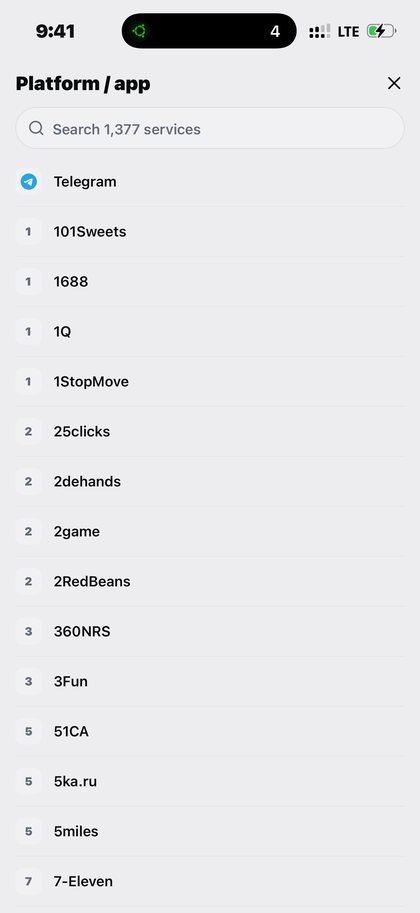
Open Quick OTP in the app after you download Kpali and fund store credit.
Quick OTP for Google products. A window to reuse the number — often 24 hours, sometimes more.
The situation
Being locked out of an email account is a special kind of stuck, because email is how every other account is recovered. The number attached to it no longer exists, and the recovery flow will not proceed without it.
A rented number from the right country breaks the loop. And because Google products often allow the same number to be reused inside a window of twenty-four hours or more, a lockout that needs two codes usually does not need two rentals.
What Kpali does about it
Rent a real number, receive the code, reuse the window the product gives you.
It goes: Home → OTP → platform → country → live price → Pay → await SMS. It lands on rented number (timer starts after pay).
There is no lookup for this product, so the review sheet is the check — read the recipient back before you pay.
Getting there from nothing
- Put the app on your phone and sign up. A PIN and a way to reach you is the whole of it.
- Add money: stablecoin first, then network, then the warning, then the amount, then the address.
- Enter the email that should be told when the money lands — it decides whose credit this is.
- Wait until Home moves before doing anything else.
- Home → OTP → platform → country → live price → Pay → await SMS.
- Confirm the recipient on the review sheet, then Pay. It does not proceed if store credit cannot cover the total.
- Keep the receipt. A rented number, then the code itself on the await screen and on the receipt.
Read next
- Quick OTP — the long version: who it is for, what decides availability, and what you pay
- Fund your wallet with stablecoin — stablecoin in, store credit out, in the order the screen asks
- Read a receipt — what the three states mean
This is a manual for an installed app, plus one page selling the store credit the app spends. No page here asks for a card.
How to access this in the app
Home → OTP → platform → country → live price → Pay → await SMS.
How to check it
OTP await screen + receipt show the number, platform, timer and code.