 Kpali
KpaliSituation
Are you traveling? Need an eSIM.
Land with data. Buy before you fly. Track every megabyte after.
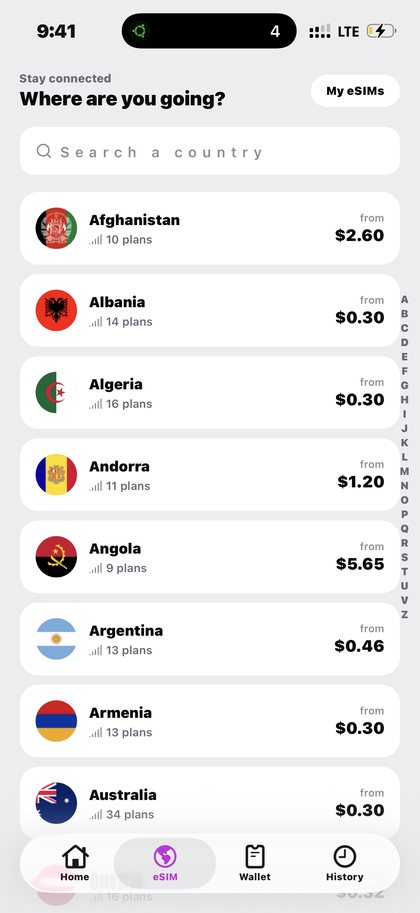
Open Travel eSIM in the app after you download Kpali and fund store credit.
Land with data. Buy before you fly. Track every megabyte after.
The situation
The worst moment to arrange data is the moment you need it. You have landed, the airport wi-fi wants an email confirmation you cannot receive, and the taxi app will not load.
Buying the eSIM before you fly removes that entire scene. It installs at home, on wi-fi, and it does not start counting down until it connects in the country it covers — so buying early costs you nothing at all.
What Kpali does about it
Data for where you are going, ready before you land.
The route through the app is: Home → eSIM → destination → plan → Pay → My eSIMs → install QR. The thing being paid is your device (qr / activation code).
There is no lookup for this product, so the review sheet is the check — read the recipient back before you pay.
Getting there from nothing
- Install the app and create an account. No bank account and no BVN.
- Fund store credit with stablecoin. The network warning sits above the address; the wrong chain cannot be undone.
- Use your own email to be notified, or somebody else's to credit them instead.
- Wait for Home to show the credit. An address is not money.
- Home → eSIM → destination → plan → Pay → My eSIMs → install QR.
- Confirm the recipient on the review sheet, then Pay. It does not proceed if store credit cannot cover the total.
- Keep the receipt. A QR code and an activation code on the receipt, and the pack itself under My eSIMs.
Read next
- Travel eSIM — the full picture: coverage, pricing, mistakes and the questions that come up most
- Fund your wallet with stablecoin — the deposit screen, explained before you meet it
- Read a receipt — reading the record, including when it says wait
These guides teach a phone app. The website sells store credit on one page and nothing else; spending happens on the handset.
How to access this in the app
Home → eSIM → destination → plan → Pay → My eSIMs → install QR.
How to check it
My eSIMs tracks data usage, validity and remaining airtime/data per eSIM.